
AI and Automation
Agents that follow the work.
It builds the page, not just the answer
Ask for a screener, a scorecard, a brand comparison — the agent builds the Canvas page itself, styled and populated with your real numbers, ready to keep using after the chat ends.
See Analyse and Decide →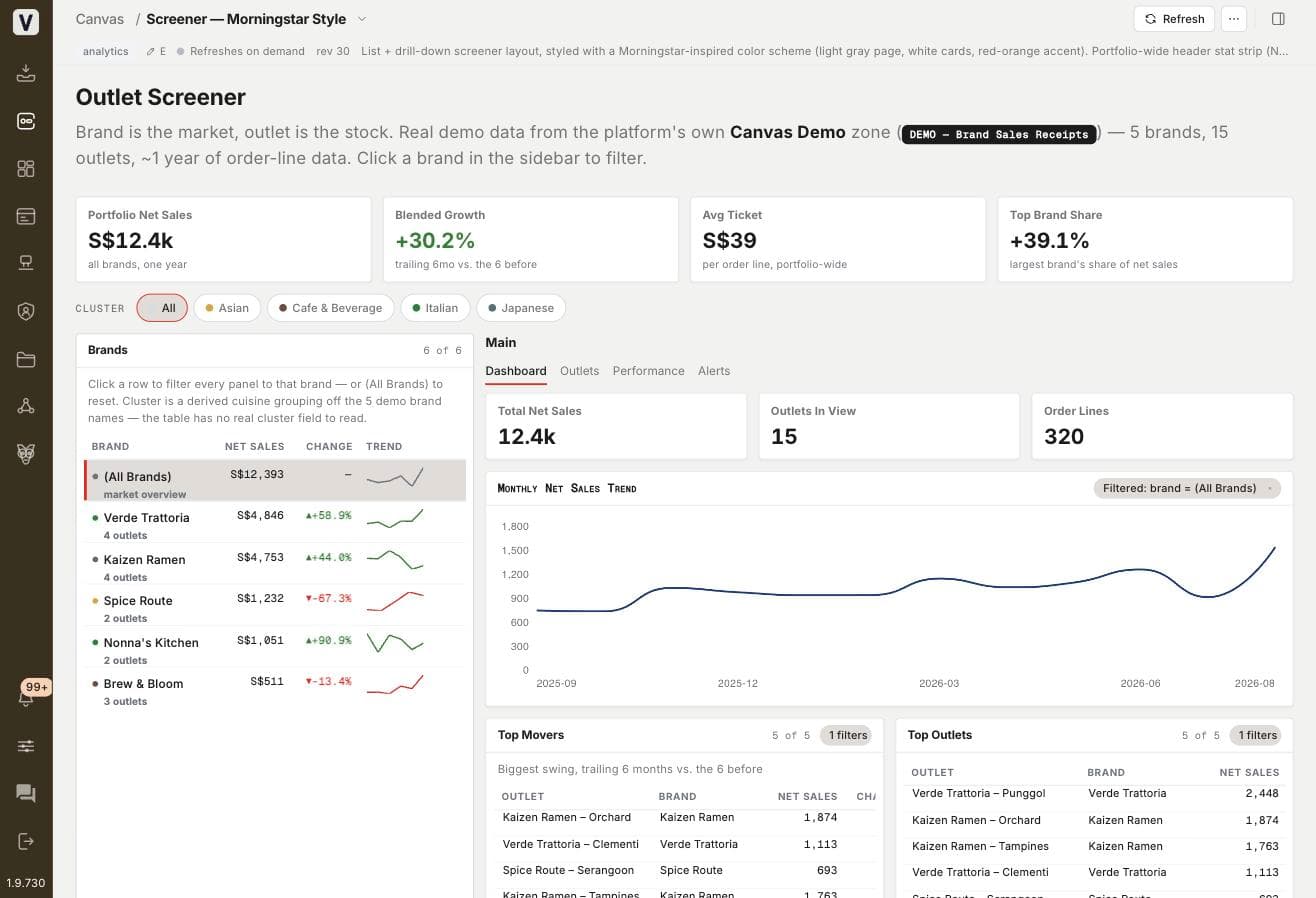
Propose & Approve
Every edit it proposes — a new row, a corrected cell — waits for your yes before it writes. Nothing touches your data without approval.
On-Demand Tools
Generates images, runs code, exports to Excel, and more — pulled in exactly when a task calls for it.
Analyse a File
Drop a spreadsheet, PDF, or image into the chat. The agent reads it, pulls out the numbers, and checks them against your own data.
AI Content
Summarizes data and writes it up automatically — newsletters, digests, narrative reports — delivered straight to your inbox or Slack.
MCP
Connects Claude, or any MCP-compatible AI, directly to your VAL data.
VAL CLI
Scripts and automates against VAL directly from the command line.